CUSTOMER SERVICE
|
February 14, 2015 - Increase Capacity; Install Backup Drive
Upgrade Completed Successfully
April 6, 2014 - Network Switch Replacement
Our network experienced technical difficulties
tonight due to a switch failure. While the servers
were running without issue, the failed hardware
temporarily blocked access at our network operations
center. Our technical team resolved the
problem immediately and the faulty hardware has been
replaced. As such, the issue should not be
expected again. We apologize for
the inconvenience.
Please
click here
or
email
with any questions.
- Thank you,
- Heather McCallum
- WebWorksPro
8/15/2013 System Maintenance
Announcements:
Our migration to Cloud Technology
was a success! Your cloud-hosted website is now
operating on multiple connected servers. Resources
such as memory, processing, network bandwidth, storage
and email services are pooled together for a scalable
and secure environment. You will enjoy the advantages of
having a stable, measurable and secure physical
infrastructure, ensuring a high level of availability
and flexibility.
I’d like to
express my profound gratitude to all our customers.
We are so thankful for your straightforward feedback
and the confidence you have shown in us over the
years.
|
|

Making a Work Request

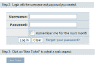
Please submit a help desk ticket, or
click here
or
email
to contact us alternatively.
About our help desk:
As
your single source for design, illustration, programming and
maintenance,
our method of communication should
be fully featured and flexible enough to support a variety of
creative discussion formats. We've customized a
user-friendly environment where creative
development and ideas can be expressed through image display,
file attachments, and active links. Our help desk has been thoroughly tested and much
of the functionality was based on direct client feedback, along with some of our own features. Through
this interface we're able to visually present our ideas and
keep within an organized discussion format.
WebWorksPro.Net has provided professional,
high-quality work comparable to that of traditional
advertising and design firms for a fraction of the
cost since 1998. Our affordable rates are made possible by
operating entirely online. Our process is streamlined, eliminating expenses such as travel, conferencing,
and formal presentations. Long term success
clearly demonstrates how we continue to exceed the
expectations of our clients.
|
Large ISP companies provide technical support to
their customers through the use of a help desk.
Such an organized support method can quickly categorize and direct your
inquiry to the appropriate person from a large support staff.
As a small business hosting only those
websites we develop, we've also found the use of a help desk to
be very helpful. Click here
to learn more about our servers.
|
|
Free Monthly Revisions |
|
Due to excessive spam and other malicious activity, many
ISPs have tightened security by filtering email heavily.
As a result, support by email alone can be unreliable. We
recommend that support communication take place though a
help desk ticket. Although you will receive notifications upon each
response from us, email is not required to talk with us
on the help desk. This allows for back-and-forth dialogue
viewed through your internet browser. All you need is
an internet connection. Just refresh your help
desk ticket browser window periodically to check for a
response. Alternatively,
click here
or
email
to send us your work request.
Help desk tickets may be opened for general
inquiries and billing questions as well as hosting support
and administrative maintenance. If
your request includes web page updates, and exceeds the
allotted free page revisions above your current service
account level, the following charges may be invoiced to your
account. Some costs may vary depending on the
complexity of the request.
$25 - Revise/replace text content per page*
$35 - Revise or replace text to one page, plus
format/add/replace one graphic image or photo*
|
|
|
*One Page = Approx one-two Display Screens. One
link may constitute an infinite number of pages/screens. |
|
Emergency Pager |
|
Emergency Support is available after
regular business hours, weekends and holidays. If your
website or mail server is not accessible, please use the
emergency pager form to page
someone to your help desk ticket. If you do not have a help desk
account, please
include an alternate email address or phone number so we
are able to discuss the issue with you. Please be as
detailed as you can on your ticket or on the pager form.
Include specific errors if available. |
|
|
If your ticket will contain sensitive
information,
click here to login to the help desk securely, using SSL. |
|
| If you are able to receive email, but
are not receiving notifications from the help desk via your
email, your spam filter may be
mistakenly tagging legitimate email. Please be sure
that your SPAM filtering software is configured to accept
email from inspiration - at - webworkspro.net.
America Online users:
Click here to read how to authorize email from the
official AOL website. |
|
Tutorial Links
|
|























 to request free updates to existing pages, request new work,
or ask us a question.
to request free updates to existing pages, request new work,
or ask us a question.